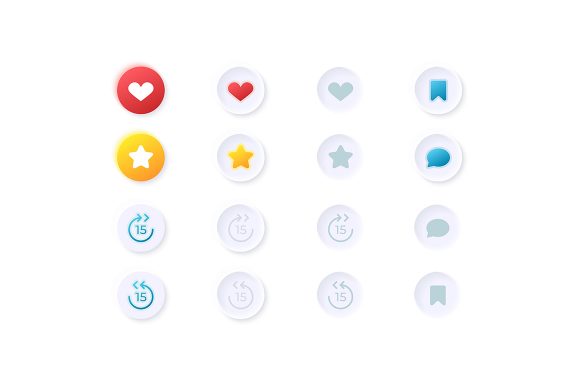
Integrating the Video Media Options UI Elements Kit into Professional Design Workflows
In the fast-paced environment of digital product development, the gap between a functional prototype and a polished final application often comes down to the quality and consistency of user interface assets. For designers, developers, and project managers working on multimedia-heavy applications, sourcing reliable graphics can become a bottleneck. The Video Media Options UI Elements Kit addresses this specific friction point by providing a comprehensive collection of isolated vector icons, bars, and dashboard templates tailored for video-centric interfaces. This resource is not merely a folder of images; it is a strategic asset that fits into the broader lifecycle of web and mobile application design, streamlining the process from initial wireframing to final deployment.
When approaching a new project, whether it is a video streaming platform, an educational course portal, or a social media application with heavy video integration, the planning phase is critical. This is where the Video Media Options UI Elements Kit proves its value before a single line of code is written. By utilizing the included dashboard templates and bar elements during the mockup stage, teams can visualize how users will interact with playback controls, volume sliders, and quality settings. This early visualization helps stakeholders make informed decisions about layout and usability without the need for custom illustration work, which can be time-consuming and costly. The kit allows for rapid iteration, enabling designers to test different configurations of the light theme interface to ensure optimal readability and aesthetic appeal.
Strategic Placement in the Design and Development Lifecycle
The utility of this UI kit extends across various stages of a project. In the pre-production phase, it serves as a reference for standardizing iconography. Consistency is key in user experience (UX), and having a unified set of vectors ensures that the "play," "pause," "save," and "speed up audio" functions look identical across different screens. During the active development stage, the kit acts as a ready-to-implement library. Because the files are provided in multiple formats including EPS, AI, SVG, PNG, and JPG, they integrate seamlessly into diverse workflows. Front-end developers can directly implement the SVG files for crisp rendering on high-density displays, while marketing teams can utilize the PNG or JPG exports for promotional materials and documentation.
Post-launch, the kit continues to offer value during maintenance and updates. As applications evolve, new features often require additional UI elements. Having access to the source files in AI or EPS format means that designers can easily modify existing icons or create new variations that match the original style guide. This scalability prevents the common issue of "design drift," where new elements added months after launch clash with the original interface. Furthermore, the isolation of each vector icon simplifies the process of swapping out specific components if user testing reveals that certain symbols are not intuitive, allowing for quick A/B testing of different visual cues.
Technical Compatibility and File Format Versatility
A significant advantage of the Video Media Options UI Elements Kit lies in its technical flexibility. Modern design ecosystems rely on a variety of tools, from Adobe Illustrator and Sketch to Figma and direct code implementation. The inclusion of vector formats like SVG and AI ensures that graphics remain resolution-independent. This is particularly crucial for mobile applications where screen sizes and pixel densities vary wildly between devices. An icon that looks sharp on a flagship smartphone must also retain its clarity on a tablet or a desktop monitor. Vector assets scale infinitely without losing quality, eliminating the need to export multiple raster versions for different screen resolutions.
For teams that prefer raster workflows or need immediate previews, the inclusion of PNG and JPG files offers convenience. These formats are ideal for quick prototyping in presentation software or for use in environments where vector support is limited. The ZIP file structure typically organizes these assets logically, reducing the time spent searching for specific elements. Efficient organization within the asset library contributes directly to workflow speed, allowing creatives to focus on higher-level design challenges rather than file management. Additionally, the light theme interface specified in the kit provides a clean, modern baseline that can be easily adapted. While the kit provides a specific aesthetic, the vector nature of the core assets allows color values to be adjusted to match brand guidelines, ensuring the final product feels bespoke rather than generic.
Enhancing User Experience Through Specialized Controls
Video consumption habits have evolved, and users now expect granular control over their media experience. Features like "speed up audio" for podcast acceleration or lecture review, and easy "save" functions for offline viewing, are no longer luxury features but standard expectations. The Video Media Options UI Elements Kit specifically targets these nuanced interactions. By providing dedicated icons and slider bars for these functions, the kit helps designers create interfaces that feel intuitive and responsive. When users can easily locate and understand these controls, engagement metrics often improve, and frustration decreases.
Consider the workflow of an educator building a learning management system. They need to ensure that students can navigate video lectures efficiently. Using the dashboard templates from this kit, the educator or their design team can construct a control panel that clearly displays progress bars, playback speed toggles, and caption options. This clarity reduces the cognitive load on the learner, allowing them to focus on the content rather than figuring out how to operate the player. Similarly, for entrepreneurs launching a video marketing platform, the professional look of these isolated vector icons lends credibility to the product, signaling to users that the platform is robust and well-maintained.
Workflow Integration and Team Collaboration
Implementing this UI kit effectively requires a coordinated approach between designers and developers. A practical method is to establish a shared repository where the SVG files from the kit are stored alongside the project's codebase. This ensures that everyone is working from the same version of truth. Designers can annotate the AI or EPS files with specific hex codes or spacing requirements, while developers can import the SVGs directly into the component library of the application. This handoff process minimizes errors and reduces the back-and-forth communication that often delays projects.
Moreover, the kit supports agile methodologies. In sprint planning, teams can estimate tasks more accurately when they know that the UI assets for video controls are already available and standardized. There is no need to allocate story points for designing basic play buttons or volume sliders. This efficiency allows the team to dedicate more resources to complex logic, backend integration, or unique creative features that differentiate the product in the market. The consistency provided by the kit also aids in quality control; testers can verify that UI elements behave consistently across different modules of the application because the underlying assets are identical.
Long-Term Value and Scalability
Beyond the immediate completion of a project, the Video Media Options UI Elements Kit represents a long-term investment in a company's design infrastructure. As the business grows and launches new products or updates existing ones, having a library of high-quality, versatile media controls accelerates future development cycles. The skills learned in integrating these assets—such as managing vector workflows and maintaining design consistency—become part of the team's institutional knowledge. For freelancers and small business owners, owning such a kit eliminates the recurring cost of hiring illustrators for standard UI elements, providing a high return on investment over time.
In conclusion, the integration of specialized UI resources like the Video Media Options UI Elements Kit is a hallmark of a mature, efficient design process. It bridges the gap between conceptual planning and tangible execution, offering the flexibility needed to adapt to various platforms and user needs. By leveraging the diverse file formats and specialized icons within the kit, professionals can build multimedia interfaces that are not only visually appealing but also highly functional and user-friendly. Whether optimizing a mobile app for commuters or designing a dashboard for enterprise video management, this toolkit provides the foundational elements necessary for success in today's video-first digital landscape.